
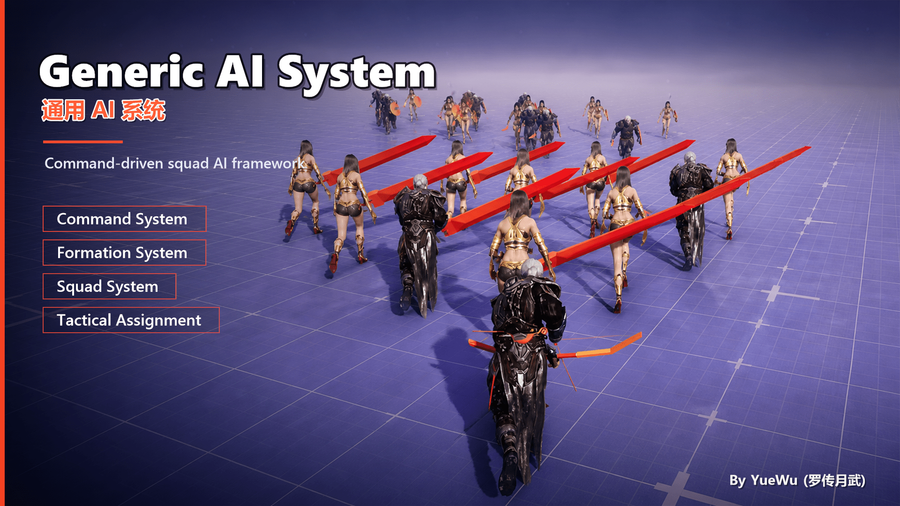
Command System
The GenericAISystem Command System is the unified bridge for handing an already-decided behavior to a unit for execution. Player clicks, UI shortcuts, level scripts, squad orders, and higher-level AI can all submit requests. The Command System validates those requests on the Pawn, maintains the current command and waiting queue, handles replacement and cancellation, and forwards accepted commands to an adaptable execution layer. It does not decide strategy or tactics for you: Tactical Assignment, StateTree decision logic, or project logic first decides what should be done; the Command System then ensures that the specific command starts, finishes, or is interrupted reliably.
This allows player interaction and AI scheduling to share the same execution path: upstream systems only generate command requests, unit-side systems observe the same current state and results, and the execution backend can be replaced as the project evolves.
What Problem Does This System Solve?
In a game, the same unit often receives requests from player input, UI shortcuts, level scripts, squad orders, and AI decisions at the same time. If every source directly invokes movement, Abilities, animations, or behavior trees, each source must separately manage targets, interruption, queuing, network authority, and completion callbacks. Canceling movement from the player may leave an Ability running, AI preemption may fail to notify the UI, and a late asynchronous callback from an old action may even finish a newer action by mistake.
CommandSystem consolidates these explicit behavior requests into one contract: who executes, what is executed, what the target is, whether execution is allowed, whether it can be interrupted, and what result is produced at completion are all handled by one command lifecycle on the Pawn. Upstream systems no longer need to know the concrete backend, while UI, debuggers, and networking observe the same state.
What Can This System Do?
Capability | Typical Use |
|---|---|
Unify player and AI scheduling | Player movement clicks, ability buttons, squad orders, and Tactical Assignment results all reach the unit through the same entry point. |
Validate explicit requests | Validate executor state, target shape, tag requirements, variant Index, and execution-layer availability against the command definition. |
Manage the current command and queue | Support latest-intent replacement, Shift waypoints, continuous interaction, and ordered task presentation. |
Handle high-priority interruption | Use front insertion for dodge, emergency healing, or temporary reactions, while cancellation policies protect non-interruptible behaviors. |
Connect replaceable execution backends | Route to the StateTree Command layer by default, or adapt GAS Abilities, Behavior Trees, animation systems, or project runtimes. |
Provide replicated observable results | UI, GameplayDebugger, and project logic can read the current command, queue, latest terminal result, and reason. |
For example, a player-commandable squad may normally patrol under Squad AI. When the player clicks a destination, a Move command is issued and replaces the cancelable patrol action. Additional waypoints can be queued, a Dodge can be inserted before the current action when danger appears, and once the command finishes the StateTree Stack returns to Squad behavior. UI, AI, and the movement backend do not need separate versions of “the current command.”
When Should You Not Use It?
CommandSystem does not choose tactical assignments from a large set of candidate Units and targets; use Tactical Assignment for that. It does not manage formation slots or continuous movement recommendations; those belong to Squad, Formation, and Movement Intent. It also does not replace the project's actual movement, damage, cooldown, or animation implementation. Its boundary is: an upstream system already knows “make this Pawn perform this explicit action,” and needs a reliable way to submit, observe, and terminate it.
Remember First: The Component Belongs Only on a Pawn
UGAIS_CommandSystemComponent derives from UPawnComponent. It can only be added to a Pawn or Character, not to a plain Actor, building Actor, AIController, or PlayerController. If a building, turret, or other non-Pawn unit must receive commands, the project should provide a Pawn representation or create a separate command entry point appropriate for that object. Do not force CommandSystem into the role of a generic Actor component.
The component can exist on a player-controlled Pawn or an AI Pawn, but the built-in StateTree execution layer has stricter runtime requirements: the commanded Pawn must be non-player-controlled, controlled by an AAIController, and that Controller must have a UGAIS_StateTreeStackComponent. This is not a general CommandSystem restriction; it only means that the default StateTree backend is designed for AI units. Player Pawns can use another execution layer or forward commands into project-specific character or Ability logic.
Where It Fits in the Overall System
CommandSystem is the lifecycle authority: it assigns the execution identity, publishes observable state, and only accepts completion reports that still belong to the current execution. The execution layer performs the actual work and reports success, failure, or cancellation at the correct time. StateTree Stack manages behavior-layer priority, while Queue manages the runtime sequence of already-decided tasks; neither replaces the CommandSystem command ledger.
What Makes Up a Command?
Layer | Purpose | Typical Users |
|---|---|---|
| Public command contract: target rules, executability, scoring, UI data, and execution configuration. | Blueprint assets, C++ command classes, Tactical Assignment. |
| This specific request: Definition, variant | Input, UI, scripts, network RPCs. |
| Authoritative entry point and replicated state projection on the Pawn. | Units, UI, observers, debuggers. |
| Stateless execution adapter that forwards an exact command execution into a concrete framework. | StateTree, GAS, Behavior Tree, project components. |
The component replicates the current command, waiting queue, and latest terminal result for UI and observers. It is not a complete history log or runtime storage for the execution backend.
Choose the Right Command Definition First
Most projects should create Blueprint or C++ subclasses from the two built-in configurable parent classes instead of inheriting directly from bare UGAIS_CommandDefinition.
Choice | Best For | Main Value |
|---|---|---|
| One asset represents one stable behavior, such as movement, interaction, healing, or a basic attack. | Provides Common, Requirements, Display, Execution, range, and group-target settings in one default configuration; usually ignores |
| One player entry point or tactical meaning has several stable variants, such as melee, ranged, and ability attacks under Attack. | Every item in |
Directly inherit | Command configuration must be resolved dynamically from the executing Pawn, equipment, class, runtime state, or project rules. | Allows Actor- and Index-dependent overrides for fragments, target validation, scoring, and execution-layer selection. |
MultiVariant is not merely “the same command with a different icon.” Different variants can enter different StateTrees or even drive entirely different execution backends. For example, a melee attack may enter a close-combat StateTree, a spell attack may start a GAS Ability, and a flee variant may use a project Behavior Tree adapter.
Only build directly from UGAIS_CommandDefinition when static asset fields cannot express the rule. For example, the same Attack command may need to dynamically return different TargetType, Requirement, Range, Display, or ExecutionDefinition values according to weapon, class, or Buff state. Do not duplicate a large amount of dynamic logic merely to store a few different numbers; prefer Simple or MultiVariant editor configuration.
From Request to Execution
Before issuing a command, CommandSystem validates the Definition, variant Index, target shape, whether the Pawn can execute it, whether the target is valid, and whether a valid execution layer can be resolved. Once accepted, the component commits the new current state and the execution definition starts that exact execution. The execution layer eventually reports success, failure, or cancellation back to CommandSystem.
Target data must match the command's TargetType: untargeted/Passive commands should not contain a target, Actor commands require an Actor, and Location or Direction commands require an explicit position. An incorrect target shape is not something the execution layer should “guess and fix”; it is a contract error that should be rejected before execution begins.
Immediate Issue, Queueing, and Insertion
For a directly player-commanded unit, clicking a new destination should usually replace the current cancelable movement immediately; additional waypoints should be queued; a dodge for an imminent explosion can be inserted before the current action; and a heal or one-time pickup can be inserted immediately after the current attack.
Entry Point | Behavior | Suitable Cases |
|---|---|---|
| Starts immediately when idle; if the current command is cancelable, replaces it and clears waiting items; if it is non-cancelable, becomes the only waiting replacement request. | Latest player movement/attack intent, or a script that requires an immediate mode change. |
| Starts immediately when idle; otherwise appends to the FIFO tail. | Shift waypoints, patrol, sequential gathering. |
| Keeps the current command and places the new command at the front of the queue as the next command. | Finish the attack, immediately pick up an item, then continue the original queue. |
| Only when the current command is cancelable: interrupts it and runs the new command first; the interrupted command is restored only if the inserted command ends with a success-class result. | Emergency dodge, tactical interruption, or an interaction that must happen first. |
“Issued” does not always mean “starts immediately.” A Queued return value means the request was accepted but is waiting. Rejected means validation or current lifecycle conditions failed. NoChange means the request matches the current state. UI should respond to the return value and replicated state, not display “executing” merely because an input event fired.
Interruption, Cancellation, and Queue Progression
Each command uses CancellationPolicy to declare whether it can be replaced. A Cancelable current command can be replaced, pre-inserted, or stopped through CancelCommand. A NonCancelable command blocks those interruptions; a normal IssueCommand then only preserves the latest waiting replacement request. ClearCommandQueue removes only future items. ClearCommands attempts to cancel the current command and clears future items, so it is also constrained by the current command's cancellation policy.
The queue only advances when the current command ends with a success-class result. Failure generally terminates the current chain and clears waiting items. Whether cancellation counts as a continuable outcome is defined by the command's success rules. This boundary prevents dependent actions from blindly running after an attack fails and lets designers explicitly choose between “resume patrol after cancellation” and “stop after cancellation.”
Cancellation is not merely a UI state change. CommandSystem notifies the current execution layer, and that layer must release only the Ability, StateTree route, movement task, or visual state owned by this exact execution. It must not affect a newer command that has already replaced it.
Default Execution Layer: StateTree Stack Command Execution
UGAIS_CommandExecutionDefinition_StateTree is the default UGAIS_CommandExecutionDefinition. It stores a complete FStateTreeReference, so it can preserve not only the StateTree asset but also any supported parameters and property overrides. When a command starts, it sends the execution request into the reserved Command layer of StateTreeStack. When the command finishes or is canceled, the Stack removes the exact route so that lower Unit or Squad AI layers can regain control.
This is usually enough for most AI commands. The StateTree can read the command Definition, variant, target, range, and executing Pawn; perform movement, interaction, attack checks, and optionally start an Ability; then report the terminal result to CommandSystem. Do not assume that calling an Ability from StateTree requires a separate GAS execution layer. If the Ability is only one step in the StateTree workflow, keeping the default backend is easier to maintain.
A Simple command can configure one StateTree reference directly. Each MultiVariant variant can configure its own reference. This allows “melee attack / ranged attack / healing skill” to share one command entry point while running completely different StateTree workflows.
When a Custom Execution Layer Is Needed
Inherit from UGAIS_CommandExecutionDefinition when the command's primary lifecycle should not be owned by StateTreeStack. Examples include a project with an existing Behavior Tree task runner, a command that should directly start and await a GAS Ability, or integration with an independent animation or interaction system. A custom execution layer should remain a stateless adapter: StartExecution establishes the asynchronous route or completes synchronously for that exact execution, CancelExecution stops only the external state owned by that execution, and the final result is reported through CommandSystem's completion entry point.
It is not a place for long-term decisions, shared caches, or per-execution temporary variables. The decision of when to select a command still belongs to StateTree, Behavior Tree, Tactical Assignment, or project decision systems. The execution definition only handles how an accepted command is handed to a backend. For extension boundaries, see Command Extension Points.
Networking and Observation
Command state is maintained by the server. The server can directly call issue, enqueue, insert, cancel, and clear entry points. The owning client of the Pawn can call the corresponding Server... RPCs. A client without network ownership of that Pawn cannot use those RPCs as a generic remote call; it should send the request through PlayerController or another project network entry point into authoritative logic.
Client UI, GameplayDebugger, and project observers should read CurrentCommand, the queue, the latest result, and the OnCommandChanged, OnCommandQueueChanged, and OnLastCommandResultChanged events. These are stable observation interfaces. Do not inspect internal execution-layer tasks to determine whether a command has completed.
What to Read Next
- To integrate an AI Pawn from scratch and see a command enter StateTree, read Integrate a Minimal Commandable Unit.
- For Definition, variant, payload, queue API, and execution-configuration fields, read Command Definition and Dispatch Parameters.
- To implement dynamic rules or GAS/Behavior Tree backends, read Command Extension Points.