
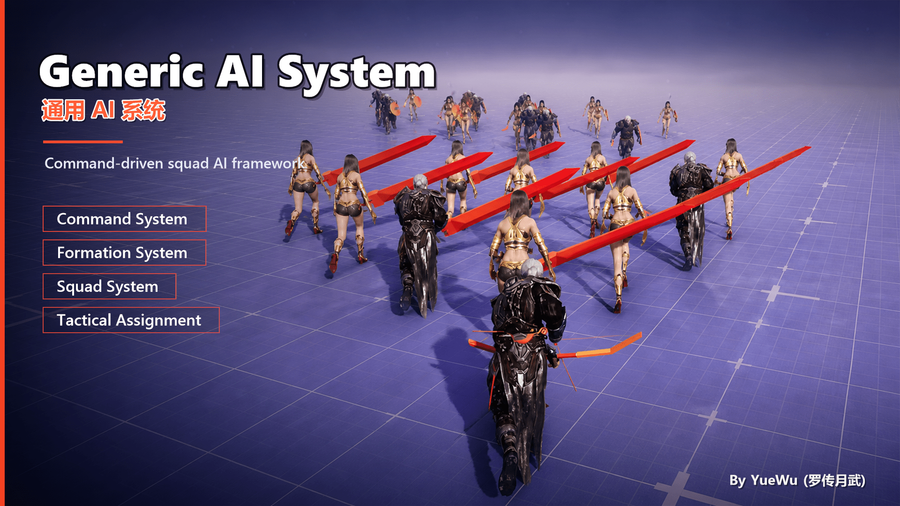
Tactical Assignment System
Tactical Assignment solves the matching problem of “who should do what against which target in the current situation.” It gathers the current input from independent candidate-unit and target Sources, requests tactical meaning through an IntentTag, lets each Unit resolve that intent into a Command it can actually execute, and then performs filtering, command validation, scoring, capacity checks, and submission.
When the player, UI, or script already knows the exact Unit, Command, and target, using CommandSystem directly is simpler. Tactical Assignment is mainly for automatic decisions in which candidate executors, candidate targets, or target capacity change with the battlefield—for example, healers choosing allies, role-specific units occupying defensive points, or several units distributing themselves across attack targets.
What Problem Does This System Solve?
The Command System answers “what should this unit do”; Tactical Assignment answers “what should each unit in this group do.” When Unit, Command, and target are already known, issuing a Command directly is simplest. When only a group-level tactical goal such as “engage,” “hold,” or “support” is known, manually assigning every unit loses role differences, target capacity, and dynamic reassignment.
Tactical Assignment converts a group task into executable per-unit assignments: melee units approach enemies, ranged units attack other targets, healers support injured allies, and remaining members hold position. It resolves and submits a real Command for every selected Unit; movement, attack, interruption, and completion continue through CommandSystem and the execution layer.
What Can This System Do?
Capability | In-Game Example |
|---|---|
Divide work by tactical intent | Under |
Select executors from dynamic candidates | Choose only from the current squad, a radius, EQS output, or a project registry. |
Pair dynamic targets | Filter enemies, allies, objectives, or location targets by SourceTag, tags, and command rules. |
Prevent over-concentration | Maintain world-level reservation and capacity for the same Actor/location to limit simultaneous attackers or occupants. |
Continuously reevaluate | Re-coordinate assignments when units die, targets leave, capacity changes, or a StateTree branch changes. |
Let different Units use different real Commands | Map one Intent to melee, ranged, healing, or defensive Commands. |
From Intent to Command
FGAIS_TacticalAssignmentBatch.IntentTag expresses the task of the Batch using tactical meaning such as engage, support, or hold. An IGAIS_CommandIntentResolver on each candidate Actor or its components then converts that meaning into a concrete FGAIS_CommandReference. UGAIS_UnitComponent provides the default data-driven implementation through CommandIntentMappings.
Tactical Assignment therefore owns candidate pairing, while CommandDefinition remains authoritative for whether a Unit can execute the Command against the target and what score that pairing receives. A custom Resolver can select different Commands according to role, equipment, state, or SourceTag. Do not hard-code command selection in a Source or Allocator.
How One Tactical Intent Resolves to Different Commands
Assume the first Batch in a Combat Plan uses GAIS.CommandIntent.Engage:
- A swordsman's
UGAIS_UnitComponent.CommandIntentMappingsmapsEngageto a melee pursuit Command. - An archer maps the same Intent to a ranged attack Command.
- A turret can map it to a stationary attack Command.
- A more complex Unit can implement
IGAIS_CommandIntentResolverand select a Command and variant Index according to the target'sSourceTag, the current weapon, or ammunition.
Each candidate Unit resolves the Intent independently. The resulting FGAIS_CommandReference then passes CommandSystem capability checks, the Command's CanObeyCommand, cancellation policy, target type, IsValidTarget, and GetTargetScore. Continuous reassignment requires the final Command to use the Cancelable policy so the Session can safely replace and clean it up when a target becomes invalid, a Batch selects a new pairing, or the StateTree exits.
The Plan can therefore remain generic. It expresses “assign a group to engage first,” while each Unit decides which executable Command represents that intent.
The Session checks the candidate Actor first and then its ActorComponents for objects implementing IGAIS_CommandIntentResolver. The first Provider that returns a valid FGAIS_CommandReference wins. Normal Units can use UGAIS_UnitComponent. If a project mounts multiple Resolvers, their applicability conditions should be explicit so several Providers do not return results for the same Intent.
During commit, the Session calls UGAIS_CommandSystemComponent.ReplaceCommandImmediately on the candidate Unit. A successful result becomes the current Command immediately and does not append a delayed queue item. The current Command must permit replacement so Tactical Assignment can quickly switch attack targets, hold positions, or support targets during reevaluation.
How One Tactical Assignment Evaluation Is Built
Whenever the Task is entered or ReevaluationInterval elapses, the Session evaluates in this order:
- Gather assignees: run each
AssigneeSource, remove invalid Actors, and merge every Source output into the global Unit pool. - Gather targets: run each
TargetSource, fill missing source information with itsSourceTag, remove invalid targets, and merge outputs into the global Target pool. - Build a capacity snapshot: the World Subsystem includes target claims already held by other Sessions and resolves capacity for each physical target.
- Process Batches in order: Units selected by earlier Batches are marked claimed; later Batches start from the remaining Units.
- Apply Batch Filters: Assignee Filters and Target Filters create the current Batch's local candidate pools.
- Build Unit/Target pairs: each Unit resolves
IntentTag; the system checks CommandSystem, whether the current command can be replaced, command capability, cancellation policy, and target validity.None/PassiveCommands create targetless candidates; other target types require actual TargetSource output. - Score candidates: CommandDefinition returns
CommandScore; the Batch appliesScoreAdjustmentto produceAdjustedScore. - Select pairs: the Batch Allocator chooses assignments from validated, scored candidates. The default Greedy With Capacity allocator processes candidates from highest adjusted score to lowest, selects each Unit at most once, and observes the capacity snapshot.
- Core recheck and commit: core logic verifies that allocator output came from the original candidates, no Unit is duplicated, and capacity is still available, then submits each concrete Command to the Unit's CommandSystem.
- Update Session truth: compare old and new assignments, keep unchanged items, reissue changed ones, clear Stale items, and publish new world-level target claims.
This pipeline explains common symptoms: when Pool has values but Candidates is zero, the issue is in the Resolver or command validation; when Candidates has values but Selected is zero, inspect scoring, Allocator, or capacity; when Selected has values but commit fails, state changed during submission or core revalidation rejected the output.
Typical Use in Squad AI
In a Squad StateTree, let different branches own different Task: Run Tactical Assignment Plan instances. An Idle state can use squad-member Sources and Follow/Hold Intents. A Combat state can use squad-member Sources plus enemy/position TargetSources and configure ordered Engage, HoldPosition, and Support Batches. Units selected by an earlier Batch do not enter later Batches, so order directly expresses priority: attack first, then hold, then support.
When the state is entered, the Task creates a Session and evaluates immediately. While the state remains active, it reevaluates according to ReevaluationInterval. On exit, it stops the Session and releases commands and target claims that still belong to that Session. Configure different mappings for the same Intent on different Units to create role-based behavior; do not hard-code Command classes into the Batch.
Responsibilities of Source, Plan, and Batch
Sources belong to the top-level Task/Session. FGAIS_STT_RunTacticalAssignmentPlan provides AssigneeSources and TargetSources. During each evaluation, every Source receives its own temporary output array; valid output is deduplicated and merged into a global candidate stream. The Plan's Batches then process that stream in order with different priorities.
Layer | Responsibility |
|---|---|
StateTree Task / Session | Select the Plan, provide top-level Sources, and own this run and reevaluation lifecycle. |
Source | Independently contribute candidate Actors or |
Plan | Store ordered |
Batch | Configure |
Allocator | Choose pairs from validated and scored candidates; it cannot bypass final capacity validation. |
Actors assigned by an earlier Batch do not enter later Batches, so Batch order is tactical priority. Multiple Sources form a union: a Source producing no result does not stop other Sources from contributing candidates.
Plan Data Asset vs. Inline Plan
Plan and Inline Plan both resolve to the same UGAIS_TacticalAssignmentPlan. At runtime, both drive the same evaluation, reservation, and commit process through Batches and ReevaluationInterval. Their difference is configuration ownership and reuse.
Form | Configuration Ownership | Suitable Scenario | Main Tradeoff |
|---|---|---|---|
| Independent asset referenced by one or more StateTree Tasks. | Reuse the same tactical rules across multiple AI types, states, or levels; validate and tune centrally. | Editing the asset affects every reference; each Task's own Sources are still required for a complete runtime setup. |
| Inline instance stored in the current StateTree Task. | State-specific rules, prototyping, or a short Plan used in only one place. | Configuration is visible in place; other Tasks must duplicate it and later edits are independent. |
The Task requires exactly one of the two. AssigneeSources and TargetSources are always owned by the Task. The Plan describes how to assign, while the Task describes where executors and targets come from for this run. This allows the same Data Asset to be reused with different squads, perception ranges, or level-specific inputs.
Why Source and Filter Must Remain Separate
A Source answers “which Units or targets may exist this evaluation.” A Filter answers “which of those candidates may participate in this Batch.” Sources run once at the start of each evaluation and form a global union; every Batch then uses its own AssigneeFilters and TargetFilters to create a local view.
For example, a Combat Task can configure “all squad members” plus enemy, cover, and hold-position Sources once, then:
- An
AttackBatch uses a role Filter for combat members and aSourceTagFilter that keeps only enemy targets. - A
HoldBatch selects guards by role/state and keeps only hold-position targets. - A
SupportBatch selects healers from members not already claimed by earlier Batches and keeps only friendly Actor targets.
This is more stable than searching the world again for each Batch and lets GameplayDebugger distinguish “the Source found nothing” from “this Batch's Filter removed everything.”
Filters perform candidate pruning; the Command remains authoritative for execution and target rules. The system first removes Units already claimed by earlier Batches, then requires all current Assignee Filters to pass. Target Filters must likewise all pass before Unit/target pairs are built, IntentTag is resolved, and the Command's CanObeyCommand, cancelability, IsValidTarget, and scoring are evaluated.
Responsibilities and Limits of SourceTag
Each Target Source can configure a SourceTag. The system writes it only when the emitted FGAIS_CommandTargetData does not already carry a SourceTag, so a tag set on an individual item in a Target Data Array takes precedence over the Source default.
It has three main uses:
UGAIS_TacticalAssignmentTargetFilter_SourceTaglets different Batches select different origins from the same Target stream. An empty Allowed set means no allow-list restriction; Blocked always rejects first. Matching uses GameplayTag hierarchy semantics.IGAIS_CommandIntentResolverreceivesSourceTagin its resolution context, so the same Intent can resolve to different Commands according to origin—for example, attack a perceived enemy but suppress a mission-marked target.- GameplayDebugger displays the source tag in assignment records, helping distinguish targets from EQS, mission logic, player markers, or another Provider.
The same Actor can remain as different logical candidates when it enters with different SourceTag values. Physical target capacity is still shared: Actor reservations use Actor identity, while location-only targets use a normalized grid. Target properties continue to use TargetTags; SourceTag only carries input-origin semantics.
Correct Runtime Mental Model for Sources
A Source's public Gather entry point writes into an output array. The current interface has no “success, deferred, failure” return state. Empty output, EQS producing no result, a query still processing, a terminated query, or invalid runtime output all mean that Source contributes zero candidates this evaluation. Other Sources continue gathering and participate normally.
Deterministic configuration errors are handled before Session startup or evaluation. The system checks Source objects and ValidateSourceConfiguration(): a null Source object, an EQS Source without QueryTemplate, a required RoleTag, or an explicitly required SquadActor must be fixed in the asset or context. If a Source becomes invalid at runtime, a contract diagnostic is recorded and the Source contributes zero candidates; the evaluation still uses current output from other Sources.
Deferred means the world-level update guard is held by another Session or synchronous reentry occurred. Existing tracked assignments and reservations remain unchanged. A Source returning no candidates is a normal evaluation result. When candidates disappear, the completed evaluation reconciles old assignments, marks invalid records Stale, and releases matching commands and target reservations.
Target Capacity and Continuous Coordination
UGAIS_TacticalAssignmentSubsystem is the world-level Session registry and authority for physical target capacity. It builds a capacity snapshot for current candidate targets, including claims held by other Sessions. The Allocator may sort and choose, but core logic revalidates that selections are legal candidates and remain within capacity.
The default capacity policy uses UGAIS_ProjectPolicy.MaxAssigneesPerTacticalTarget. A project can override ResolveTacticalAssignmentTargetCapacity to return:
Limited: at mostMaxAssigneesassignments.Unlimited: any number of assignments may share the target.Blocked: the physical target currently accepts no assignments.
Actor targets use Actor identity as the reservation bucket. Pure location targets are quantized using UGAIS_DeveloperSettings.TacticalAssignmentLocationTargetGridSize. SourceTag, TargetTags, and a location attached to an Actor target do not split the bucket; one physical target always shares one capacity value.
Capacity is held by assignments and Session lifecycle. Claims are released when an assignment is removed during reevaluation, commit fails, or the Session stops. Targetless Commands create no physical target reservation. When several Contexts plan concurrently, the Subsystem coordinates them through the world-level ledger; claims successfully committed earlier are included in later Sessions' capacity snapshots.
Custom capacity policies can express rules such as “four units may attack the Boss,” “one unit per cover point,” “unlimited sharing in a rally area,” or “temporarily block this interaction point.” The policy object is called as a CDO and should remain stateless; cross-Session usage is already maintained by the Subsystem.
Runtime Mode and Observable Results
Tactical Assignment normally runs through StateTree's Task: Run Tactical Assignment Plan. On entering the state, it creates a Session and evaluates immediately. It then requests timed reevaluation according to ReevaluationInterval. On exit, it cancels scheduling and closes the Session. The Task exposes ReplanCount, LastUpdateResult, and AssignmentCount, as well as edge events for “first available / changed from unavailable to available” and the reverse.
Only one active Session may exist for a ContextActor at a time, preventing two Plans from competing over candidates for the same context. When no assignment is produced, inspect Source pool, counts before and after Filters, Intent Resolver, command validation, Candidates, Selected, and Commit in that order. Do not fix upstream input or command problems inside the Allocator.
Debugging and Logging
Select the Context Pawn/Controller in GameplayDebugger and open the Tactical Assignment panel. It shows Source counts from the latest complete evaluation, Actor/Target pools, before/after filter counts for each Batch, Candidate/Selected values, external target usage, and New/Kept/Reissued/Stale/Failed records with reasons. Diagnose in this order: Source → Filter → Resolver → Command → Capacity → Commit.
Enable LogGAIS_Tactical at Verbose to diagnose Session lifecycle, replanning, and commit results. GameplayDebugger shows the current Session/Batch snapshot; Actor/Target details for each Source are currently emitted through Visual Logger using UE_VLOG. Panel snapshots are diagnostic only; runtime correctness does not depend on Shipping/Test builds populating debug data.
Suitable Scenarios and Neighboring Systems
Use Tactical Assignment when a task must continuously reassign dynamic candidates under capacity constraints. Returning members to formation slots belongs to Squad, Formation, and Movement Intent. When the Unit and target are already known, use CommandSystem directly. Tactical Assignment focuses on discrete tactical matching and coordination; actual behavior and movement remain downstream responsibilities.
What to Read Next
- Minimal runnable setup: Configure a Tactical Assignment Plan.
- Query assets, Sources, and capacity configuration: Tactical Assignment Parameters.
- Custom Source, Filter, Resolver, or Allocator: Tactical Assignment Extension Points.
- Diagnose failures by runtime signals: Troubleshooting Flows.