
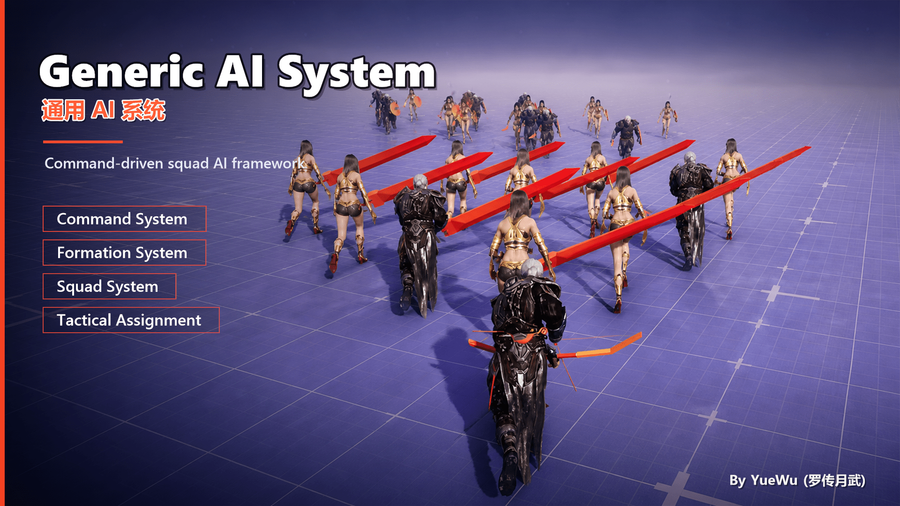
Connecting Movement Intent to the Movement System
Movement Intent is not a movement command and does not move a Pawn by itself. It is an advisory output generated by the squad from each member's role, assigned slot, and formation world position, then mirrored to each UGAIS_UnitComponent. The project chooses whether the built-in Driver or its own movement layer consumes it and decides how to actually move, rotate, avoid obstacles, and stop.
This guide uses the example of an AI squad advancing with its host while members converge on their assigned slots. After integration, Formation Ready and slot assignment should converge first, valid Intent should appear on each Unit, and only then should the project movement layer produce actual displacement. These three stages must be verified separately.
Prerequisites and Control Ownership
- The Squad is initialized, the Formation is Ready, and members have valid SlotIds.
- Every member has a
UGAIS_UnitComponent; members must beACharacterwhen using the CharacterMovement Driver. - Do not let AIController MoveTo, a Command StateTree, the CharacterMovement Driver, and a project movement system continuously write to the same movement control at the same time. Choose one current source of movement authority first.
Intent and Command can coexist: a Command StateTree can decide "where to go now" or temporarily take control, while Squad Intent only expresses formation guidance. When the command layer takes over movement, the project should explicitly pause, override, or blend Intent rather than allowing two systems to compete over the same velocity and orientation.
1. Validate Intent Before Checking Whether the Unit Moves
Inspect MovementIntent in GameplayDebugger or on the UnitComponent. DesiredLocation should be close to the member's final slot position; DesiredVelocity/DesiredSpeed express suggested movement; DesiredOrientation expresses facing; and bShouldMove indicates whether movement should currently begin. If these values are correct but the Pawn does not move, the issue is in the Driver or project movement layer. If they are wrong, return to Formation, Slot, or Squad assignment diagnostics.
bShouldMove is not an "always move" switch. It is resolved from squad distance thresholds and Intent rules. The project may still apply local conditions such as navigation, stagger, command takeover, or network prediction.
2. Use the Built-in CharacterMovement Driver
In UGAIS_SquadDefinition.MovementIntentDriver, select UGAIS_UnitMovementIntentDriver_CharacterMovement. It targets ACharacter + CharacterMovement, can apply the suggested speed to MaxWalkSpeed, and can apply DesiredOrientation according to its configuration.
In PIE, move the Squad host or switch formations. Members should first receive different DesiredLocations and then begin converging on their slots. Once they arrive, bShouldMove should become false or speed should resolve to stopping semantics rather than continuing to walk at the previous speed.
Do not treat this Driver as a complete navigation AI. It translates GAIS guidance into input that CharacterMovement can consume; it does not replace project pathfinding, collision policy, animation state machines, or network prediction.
3. Integrate Mover, GMS, or a Custom Movement Layer
Create a subclass of UGAIS_UnitMovementIntentDriver and override ApplyMovementIntent. The Driver should read the Unit's current Intent and translate it into the destination, velocity, or orientation input accepted by the project movement backend. It should not modify squad slots, roles, or the Intent source of truth.
1UnitComponent.MovementIntent2→ Custom Driver3→ Mover / GMS / Project Move Request4→ Backend performs actual movement and avoidance
If the project movement system accepts only a destination, use DesiredLocation. If it accepts velocity intent, use DesiredVelocity/DesiredSpeed. If orientation is owned by aiming or animation, do not force DesiredOrientation. The Driver should be a translation layer, not a second tactical decision system.
4. Validation and Troubleshooting
Symptom | Check first |
|---|---|
Intent is empty | Is the Squad Active, is the Formation Ready, and does the member have an assigned Slot? |
Intent is correct but the unit does not move | Is a Driver configured, does the Unit type satisfy backend requirements, and does the project movement layer consume the input? |
Speed changes but orientation is wrong | Is orientation application enabled in the Driver, and is project aiming/animation also overriding rotation? |
Unit keeps moving after arrival | Does the project respect |
Formation pulls against a command | Define Command-versus-Intent ownership; do not let both backends write movement simultaneously. |
To temporarily change speed, movement policy, or Driver application from StateTree, continue with Temporarily Overriding Movement Intent with StateTree. Related concepts are covered in Squad System; slot space and navigation adaptation are covered in Formation System; extension boundaries are described in Formation and Movement Intent Extension Points.